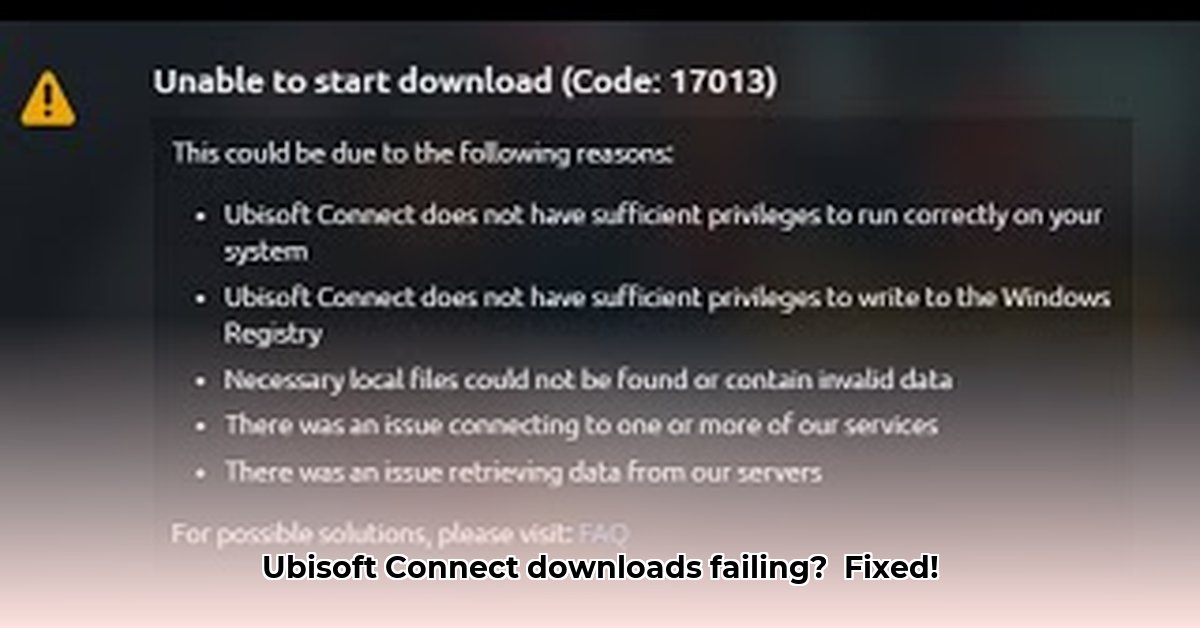
Ubisoft Connect download problems? Don't worry, we've got you covered. This step-by-step guide provides quick fixes and advanced troubleshooting to get your games downloading smoothly.
Pre-Troubleshooting Checklist: The Easy Wins
Before diving into complex solutions, let's address the basics. These simple checks often resolve download issues quickly.
Internet Connection Check: Is your internet working correctly? Perform a speed test to identify slowdowns. A wired Ethernet connection is generally faster and more reliable than Wi-Fi. Is your internet generally slow, or is it only affecting Ubisoft Connect?
Hard Drive Space: Ensure sufficient free space on your hard drive. Games require significant storage. Check your hard drive's capacity and free up space if necessary. Insufficient space commonly causes download failures.
System Requirements: Verify your computer meets the game's minimum requirements. Trying to run a demanding game on an underpowered system leads to slow downloads and potential crashes. Check the game's specifications on the Ubisoft website.
Close Unnecessary Applications: Close any unnecessary applications running in the background. Background programs consume system resources, potentially slowing down the download process.
Restart Your Router: A simple router reboot often resolves temporary network glitches. Unplug your router, wait 30 seconds, and plug it back in. This refreshes the network connection.
Common Download Problems & Solutions
Even with the pre-flight checks complete, download issues may persist. Here's how to address common problems:
Snail-Paced Download Speed: Is your overall internet speed slow? Check your internet speed and test other online activities. Is someone else using your bandwidth? Consider pausing other downloads or streaming activities. Are the Ubisoft servers experiencing high traffic? This can cause temporary slowdowns.
Download Stuck at X%: A frozen download often indicates corruption. First, try restarting the download. If that fails, restart the Ubisoft Connect application and, as a last resort, consider reinstalling Ubisoft Connect.
Ubisoft Connect Error Codes: Note the specific error code. Search its meaning on the Ubisoft support website or forums. Ubisoft error codes often provide troubleshooting guidance.
Advanced Troubleshooting: Deeper Dive
If basic troubleshooting fails, let's explore more advanced solutions:
Firewall/Antivirus Interference: Your security software might be blocking Ubisoft Connect. Temporarily disable your firewall and antivirus (re-enable afterward) to check for interference. This is a temporary measure to rule out security software as the cause.
Update Graphics & Network Drivers: Outdated drivers can cause compatibility issues. Check the websites of your graphics card (Nvidia, AMD, Intel) and network adapter manufacturers for the latest drivers.
Repair Game Files: Ubisoft Connect may offer a game file repair tool. This utility scans and repairs corrupted game files causing download problems. Check the game settings or Ubisoft Connect's settings for this option.
Reinstall Ubisoft Connect (Last Resort): As a final step, consider uninstalling and reinstalling Ubisoft Connect. This is a drastic measure to address potential underlying software conflicts. Back up any necessary settings before reinstalling.
Contacting Ubisoft Support: When You Need Help
If all else fails, contact Ubisoft Support. Provide them with detailed information: error codes, system specifications, and troubleshooting steps already attempted. Being prepared with specific details significantly improves the efficiency of support interaction.
Conclusion: Get Back to Gaming!
This guide provides a structured approach to resolving Ubisoft Connect download problems. Remember to address the basics first, and escalate to more advanced solutions as needed. If you need further assistance, don't hesitate to contact Ubisoft Support. Happy gaming!
⭐⭐⭐⭐☆ (4.8)
Download via Link 1
Download via Link 2
Last updated: Thursday, May 01, 2025